Vape Error Codes Explained for 2026: E1, E2 and Atomizer Alerts

Vape error codes flag connection problems, unsuitable coil resistance, battery warnings or protective shutdowns. E1 and E2 vary by model, No Atomizer means the device cannot detect a usable coil, and Atomizer Short is a safety warning to stop firing. Check your exact model's manual, then inspect removable pods, coils and dry contacts with the device switched off.
Vape error codes identify connection problems, unsuitable coil resistance, battery warnings, or protective shutdowns. E1 and E2 vary by model; No Atomizer means the device cannot detect a usable coil; Short Circuit demands caution.
Start by reading the exact message and your device manual. Switch off the vape before checking removable parts. Never bypass a safety warning or open a sealed battery compartment. This guide covers vape error codes on UK pod kits and regulated mods without treating every brand alike.
Vape Error Codes and What Each Warning Means
Vape error codes tell you which protection or connection check interrupted operation. Vape error codes describe electrical readings, not a confirmed diagnosis of every component. A pod can fit correctly while its electrical contacts fail. An apparently complete circuit can also carry unsafe resistance.
E1 and E2 Display Codes
E1 and E2 have no universal meanings across vape manufacturers. On the IVG Pro, published retailer guides associate E1 with a pod or circuit fault. Those guides associate E2 with failed pod detection or unstable contact. Other devices can assign different functions to the same labels.
Identify the brand and model before interpreting vape error codes. Check the leaflet or manufacturer support page for the appropriate definition. Treat online code charts as starting points, never as replacements for model instructions. A VOOPOO VMATE E2, for example, uses E2 in its product name. The product name does not report a fault.
No Atomizer and Check Atomizer
No Atomizer means the circuit cannot detect a usable heating coil. Check Atomizer often reports the same electrical problem. The tank can remain physically attached while the device reads no load. Dirty contacts, a loose coil or a damaged connector can interrupt continuity.
Some manufacturers use Check Atomizer for several different vape error codes. Vaporesso identifies dirty 510 contacts, incorrectly installed coils and internal damage as possible causes. Check your model before assuming the coil alone needs replacement.
Atomizer Short and Atomizer Low
Atomizer Short means the device detects a short circuit or an unsafe electrical condition. Stop pressing the fire button. Remove the pod or tank only after the device cools and powers off. Inspect removable components without opening the battery housing.
Atomizer Low usually describes resistance below a device's supported range. A legitimate low-ohm coil can exceed an older mod's limits. A damaged coil can produce a similar reading. Compare the coil rating with the device specification before testing again.
Vape Error Codes Across IVG, PIXL and Box Mods
Brand-specific codes require brand-specific checks. Vape error codes on prefilled pod kits differ from those on screen-equipped box mods. Identify the exact hardware before comparing warnings found online.
IVG Pro and IVG Pro 2 Labels
IVG Pro vape error codes commonly use E1 for a pod or circuit fault. The same guidance maps E2 to pod detection or connection problems. H1, H3 and Hi describe protective conditions involving temperature or hardware. OP generally identifies a puff-duration protection event on those models.
PIXL and Other Pod Kit Displays
PIXL vape error codes can also show E2 for an interrupted pod connection. Inspect the pod seating, protective stickers and dry contact surfaces first. A different PIXL model can use another error display. Read the model label before selecting replacement cartridges.
Screenless Vape Light Signals
Screenless devices present vape error codes through light colours or blink patterns. Three flashes do not mean the same thing on every kit. One model uses flashes for battery protection; another uses them for a connection warning.
Check the model's blink chart rather than interpreting colour alone. The site's guide to blinking lights explains indicator patterns separately. A blinking-light guide complements, rather than replaces, a screen-code reference.
No Atomizer Errors and Broken Coil Connections
An incomplete electrical path triggers No Atomizer and related vape error codes. The circuit includes the coil, pod or tank contacts, connector and internal control board. One damaged point interrupts detection. Recognising the failure location prevents unnecessary replacement purchases.
Loose Pod or Coil Seating
A removable pod needs firm, even contact with its battery terminals. A replaceable coil must sit correctly inside the tank base. Misaligned cartridges, loose push-fit coils and cross-threaded tanks interrupt detection.
Remove the assembly with the device off. Check the fitting without forcing the pod or tank. Refit the component using the manufacturer's installation method. Stop if the housing has cracked or the component no longer sits securely.
Dirty Contacts and 510 Threads
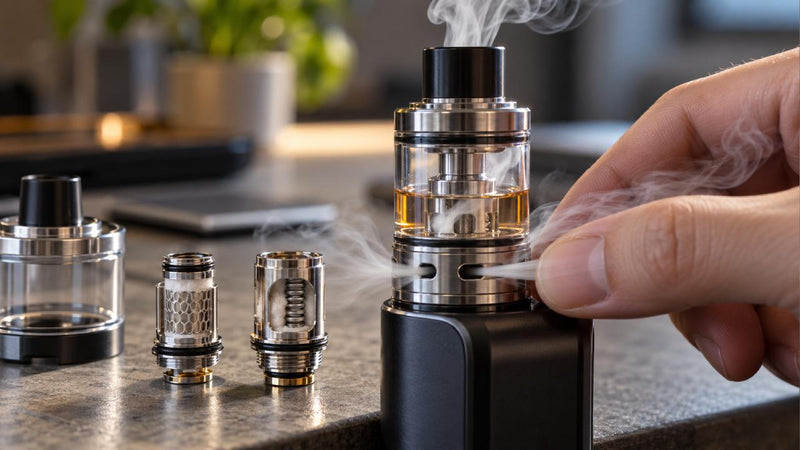
Condensation and leaked e-liquid can trigger vape error codes by coating metal contact points. Oxidation and physical wear can also interrupt a connection. Screen-equipped mods often use a threaded 510 connector beneath the tank. Pod kits commonly use small spring-loaded electrical terminals.
Inspect exposed surfaces under good light. Wipe accessible contacts using a clean, dry cotton bud. Never insert metal tools into charging ports or electrical contacts. Never pry a recessed connector pin upwards. A damaged pin requires professional advice or replacement.
Incompatible Coil Resistance
Ohms measure the electrical resistance of a heating coil. Your mod accepts a specific resistance range defined by its manufacturer. A 0.2-ohm coil and a 1.2-ohm coil place different demands on hardware. Neither rating works safely in every device.
How to Check Your Vape's Contacts Safely
To check your vape's contacts safely, power off the device and inspect only removable, user-serviceable parts. Keep the battery compartment closed. Avoid liquids, blades and improvised electrical probes. The goal is a clean connection, not a forced electrical reset.
How to Remove and Inspect a Pod
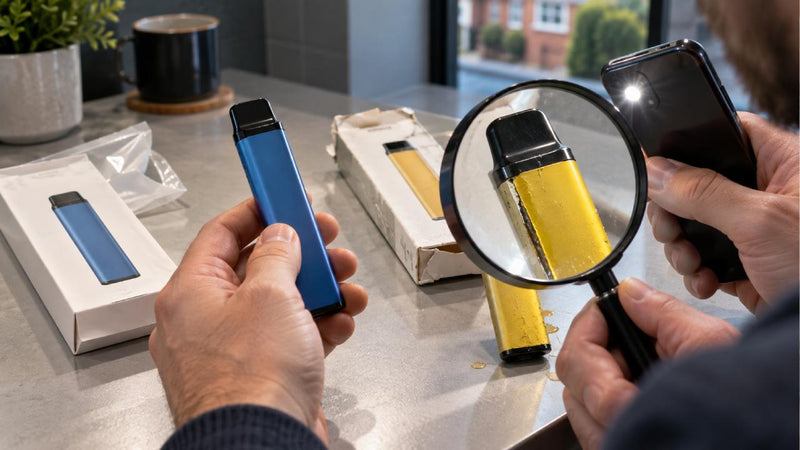
To remove and inspect a pod, release the cartridge exactly as the manufacturer directs. Place the device on a dry, stable surface. Look for 3 warning signs: liquid pooling, cracked plastic and distorted metal contacts. Discard a visibly damaged pod through an appropriate collection route.
Check for a shipping sticker covering the pod terminals. A protective seal can block electrical contact on a new cartridge. Never remove permanent insulation or manufacturer-installed safety materials.
How to Clean Dry Metal Contacts
To clean dry metal contacts, use a fresh cotton bud or lint-free cloth. Wipe exposed contact pads gently. Check both the cartridge base and accessible connector area. Allow any condensation to disappear before reconnecting the cartridge.
Do not pour water or solvent into the device. Never rinse a battery section under running water. Stop using a device after significant liquid enters the housing. Dry-looking surfaces do not confirm that internal electronics remain safe.
How to Refit a Compatible Coil
To refit a compatible coil, compare the new part's exact model number with the tank instructions. Insert a push-fit coil evenly or thread a screw-in coil gently. Avoid overtightening either design. Replace damaged seals only with manufacturer-approved components.
How to Test a Replacement Pod or Coil
To test a replacement pod or coil, use 1 known-compatible, undamaged part and compare the display. This controlled comparison helps separate removable-part faults from device faults. Do not perform the test on a hot, wet or physically damaged battery unit.
How to Compare a Second Pod
To compare a second pod, switch off the unit and remove the suspect cartridge. Fit an unused genuine cartridge specified for the same device model. Restart only if the device shows no physical safety warning. Read the screen before taking a puff.
If a second pod clears the vape error codes, the original pod probably caused the problem. If both compatible pods trigger the same warning, suspect the connector or control electronics. A second failure does not prove which internal part failed. Stop and contact the retailer.
How to Check Wattage and Ohm Limits
To check wattage and ohm limits, read 2 specifications: the coil's resistance and the mod's permitted range. Then check the coil's recommended wattage band. Keep all settings within the manufacturer's limits. Avoid trial-and-error increases beyond printed ratings.
For additional coil guidance, read the site's coil replacement warning signs. Burnt cotton, damaged seals and repeated contact problems justify replacing a removable coil. A new coil cannot repair a failing internal circuit board.
Short Circuit Warnings and Immediate Stop-Use Signs
Stop using the vape immediately when a short-circuit warning accompanies damage or abnormal battery behaviour. Vape error codes protect against unsafe operation only while the protection circuitry functions correctly. Never bypass a lockout through repeated firing or hardware modification.
Battery Heat, Swelling and Auto-Firing
A battery that feels unusually hot requires immediate attention. Swelling, hissing, smoke and automatic firing demand the same response. Stop using or charging the device. Keep people away from a smoking or visibly failing unit. Follow local fire-service instructions; call 999 during a fire.
London Fire Brigade advises against unattended charging and warns about swelling and unusual heat. Never charge a vape overnight or under bedding. Use only the manufacturer's recommended charging equipment. A cool exterior does not make a damaged battery safe.
Liquid Damage and Broken Insulators
Leaked e-liquid can reach electrical contacts and circuit boards. Broken plastic insulation can expose unintended conductive paths. A failed coil insulator can trigger Atomizer Short. Replace the affected removable coil rather than attempting electrical repairs.
Never open a sealed battery enclosure to dry internal circuits. Never bridge contacts with foil or a wire. Avoid compressed air directed into a charging port. Visible corrosion, broken pins or internal leakage calls for retailer assessment.
When Not to Restart the Device
Do not restart hardware with a swollen battery, cracked casing or persistent unexpected heating. Do not reconnect a soaked charging port. Do not keep charging a unit that smells unusual or makes a hissing sound. These warnings outrank every routine troubleshooting step.
Low Battery, Overheat and Puff Cutoff Messages
Power and temperature warnings describe different protections from pod-detection errors. Vape error codes can appear even when the coil connection works correctly. Check the complete screen message before selecting a remedy.
Low Voltage and Charging Alerts
Low Battery joins vape error codes when a device lacks sufficient charge for normal operation. Low Voltage can report a similar condition or a manufacturer-defined output problem. Follow the specific charging instructions in the manual. Keep charging visible and unattended periods at zero.
Use an undamaged manufacturer-approved cable and charger. Stop charging if the device becomes unusually hot. Persistent charging failure after ordinary approved checks requires retailer assistance. Never charge a wet, swollen or impact-damaged unit.
H1, H3 and Hi Temperature Warnings
Some IVG guides identify H3 and Hi as temperature-protection alerts. H1 has model-specific wording covering temperature or hardware protection. Stop use and let the device return to room temperature naturally. Keep the unit away from sunlight and heaters.
Do not put the vape in a freezer or refrigerator. Do not blow water onto the device. Repeated heat warnings during ordinary use justify stopping and seeking support. A temperature alert is not permission to restart immediately.
OP and Puff Duration Protection
Among IVG Pro vape error codes, OP usually refers to over-puff protection. The protection interrupts an excessively long draw. Release the button or stop inhaling. Follow the device leaflet before resuming operation.
Other brands can assign different meanings to OP. Check the exact model rather than relying on a generic code chart. Repeated OP messages during normal short draws warrant a retailer check. Do not disable any puff cutoff.
Quick-Reference Vape Error Codes Checklist
Match the warning to its first safe action, then stop when hardware damage appears. Vape error codes deserve different responses because connection faults and battery faults involve different risks. Use the following checklist only with an undamaged device.
|
Task |
Timing |
Method |
Difficulty |
|
Check E1 or E2 |
Before testing |
Read model manual; inspect pod seating |
Easy |
|
Check No Atomizer |
After powering off |
Inspect removable coil and dry contacts |
Easy |
|
Review Atomizer Low |
Before firing |
Compare coil ohms with mod limits |
Moderate |
|
Respond to Atomizer Short |
Immediately |
Stop firing; inspect safe removable parts |
Moderate |
|
Investigate a second pod |
After initial dry check |
Fit 1 genuine compatible cartridge |
Easy |
|
Respond to unusual heat |
Immediately |
Stop use and charging; seek help |
Urgent |
|
Document a repeating warning |
Before support contact |
Photograph code and note model |
Easy |
Replacement Parts, Warranty and UK Recycling
Replace a proven faulty removable part; seek support for repeated vape error codes. Vape error codes alone do not confirm that an entire kit needs replacement. Evidence from a compatible second pod offers a better decision point.
Pod or Coil Fault Versus Device Fault
A single damaged pod can interrupt metal contact. A replaceable coil can develop an open circuit or short. A worn 510 connector belongs to the device, not the coil. Compare symptoms before ordering parts.
The retailer's replacement-coil collection lists coil families for different hardware. Verify the full product and coil name before purchasing. A compatible part must meet the device's mechanical and electrical requirements.
Warranty Evidence and Retailer Support
Record the manufacturer, full model, purchase date and vape error codes displayed. Keep photographs of visible damage without handling a risky battery. Explain whether 2 confirmed compatible cartridges produced the same result. Include charging symptoms only when safe checks established them.
UK Vape and Battery Recycling
Never put a vape or lithium battery in household rubbish. Battery damage can start fires during waste collection. The UK Office for Product Safety and Standards recommends retailer take-back and dedicated collection points. Separate removable batteries only when the product instructions permit safe removal.
Frequently Asked Questions
What does E1 mean on a vape?
E1 depends on the model. IVG Pro guidance links E1 with a pod or circuit fault. Check your manual, inspect the pod and stop use if the battery shows damage.
Does E2 always mean a faulty pod?
No. E2 commonly indicates pod connection trouble on IVG Pro and some PIXL kits. The device connector can also fail. Compare 2 compatible pods before blaming the battery unit.
Can I fix a No Atomizer message at home?
Yes, for simple removable-part problems. Switch off the device, reseat a compatible coil and clean dry accessible contacts. Stop when the warning persists or hardware looks damaged.
Is Atomizer Short dangerous?
Yes, treat the message as a safety warning. Stop firing immediately. Never bypass protection. Seek retailer support if a genuine replacement coil does not clear the warning.
Should I charge a vape showing an error code?
No, not automatically. Charge only when the manual identifies a low-battery condition and the device shows no damage. Never charge a hot, wet or swollen vape.
Reliable Troubleshooting Before Replacing Your Vape
Check vape error codes against the exact model and start with a safe removable-part inspection. Vape error codes often point towards a faulty connection, but recurring faults need evidence rather than repeated resets. Stop immediately for short-circuit warnings with heat, swelling, leakage or automatic firing. Choose only genuine compatible components and follow the manufacturer's instructions. Check the retailer's compatible replacement vape coils before purchase. Protect the battery, keep your receipt and ask for support when the fault persists.